Quick answer
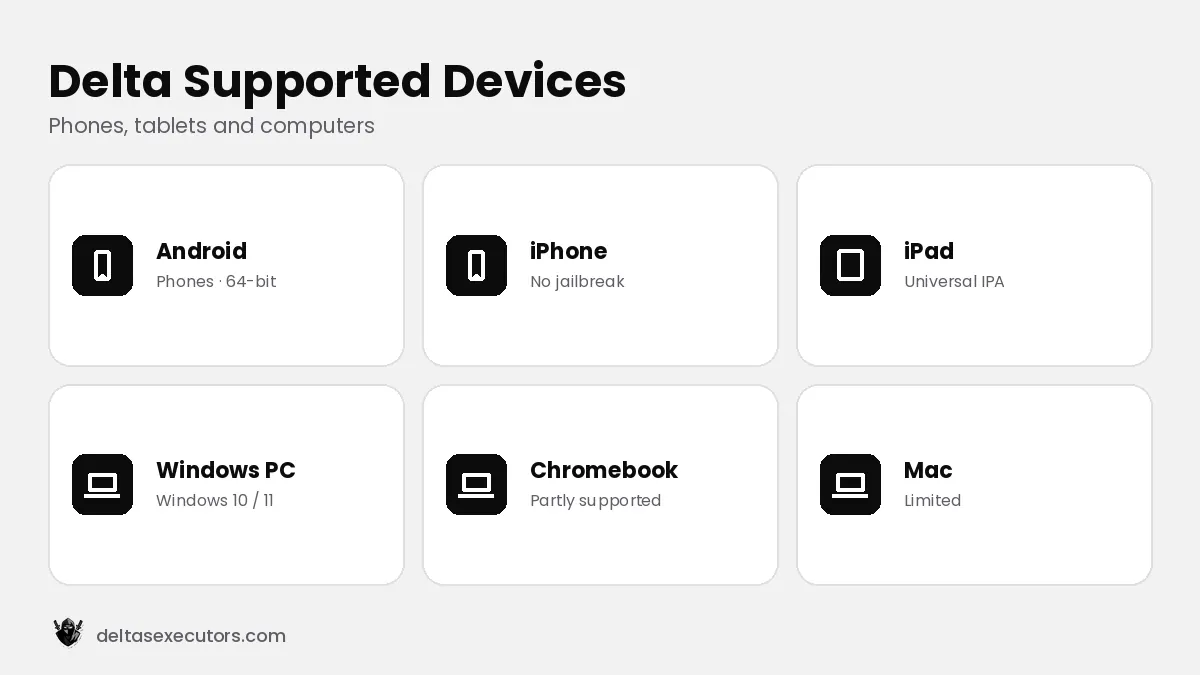
Delta Executor runs on Android (Android 8.0 or newer), iPhone and iPad (iOS 15 or newer) and Windows PC (Windows 10 / 11 (64-bit)). Plan for at least 3–4 GB of RAM and 500 MB–1 GB of free storage. It works on most Samsung, Xiaomi, Oppo, Vivo, Realme and Pixel phones, tablets and iPads, and on Chromebooks that support Android apps.
Delta Executor requirements by device
| Device | Supported? | Notes |
|---|---|---|
| Android phone | Yes | 64-bit, Android 8.0 or newer |
| Android tablet | Yes | Same APK as phones |
| Samsung Galaxy | Yes | Allow unknown apps in Samsung settings; Auto Blocker must be off |
| iPhone | Yes | iOS 15 or newer, no jailbreak |
| iPad | Yes | Universal IPA |
| Windows PC | Yes | Windows 10 / 11 (64-bit) |
| Chromebook | Partly | Through Android app support; performance varies |
| Mac | Limited | Use the iOS version on Apple-silicon Macs or an Android emulator |
Delta Executor on Samsung phones
Newer Samsung phones include Auto Blocker, which blocks apps from outside the Galaxy Store and Play Store. To install the Delta APK, open Settings → Security and privacy → Auto Blocker and turn it off temporarily, install the APK, then turn it back on. Everything else works like on any Android phone.
Tips for better performance
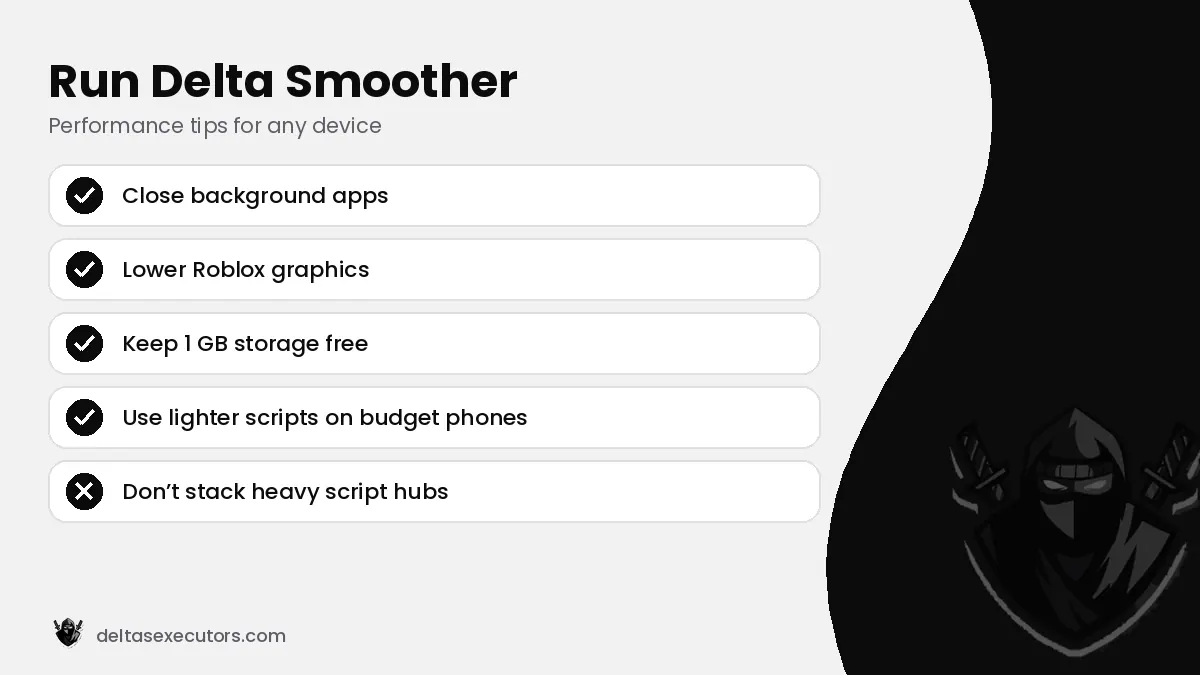
- Close background apps before joining a game.
- Lower Roblox graphics quality to 1–3 bars on budget phones.
- Keep at least 1 GB of free storage so the app can cache data.
- Avoid running several heavy scripts at the same time.
Does Delta work on low-end devices?
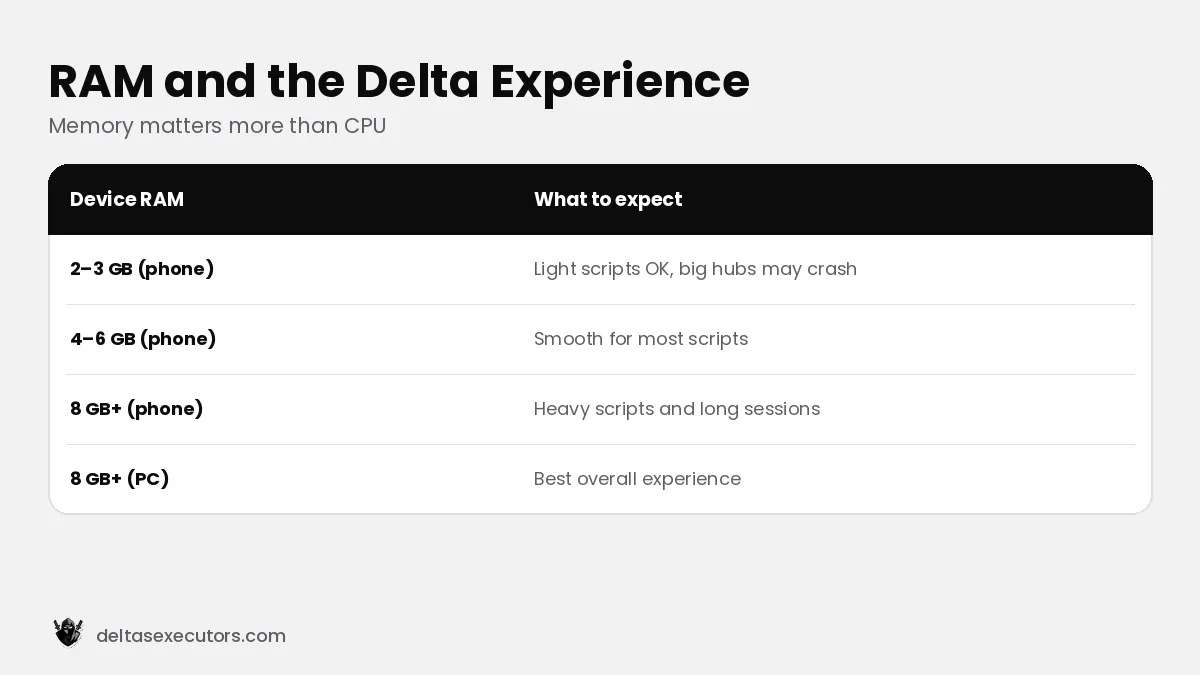
Yes, Delta itself is light, but scripts and the Roblox game use most of the memory. On phones with 2–3 GB of RAM, expect crashes with large script hubs. Lighter, single-feature scripts work much better on budget devices.
Requirements FAQs
Does Delta work on Samsung phones?
Yes. Turn off Samsung Auto Blocker temporarily to install the APK.
How much RAM does Delta need?
At least 3 GB on mobile and 4 GB on PC; more RAM helps with heavy scripts.
Does Delta work on Chromebook?
Partly — through Android app support, with performance depending on the Chromebook.

Written by Delta Executors Editorial Team
We test Delta Executor builds on Android phones, iPhones and Windows PCs and update these guides after every Roblox and Delta release.